Android 16: Force enable the Android Linux Terminal application on a Samsung S26 Ultra
Android 16: Force enable the Android Linux Terminal application on a Samsung S26 Ultra
Tuesday, April 21, 2026
Introduction
I purchased the Samsung S26 Ultra. I was hoping to able to play around with the Android Terminal application but it is hidden in One UI 8.5 for whatever reason, and that reasons I suspect is because non-protected VMs are not yet supported on the Snapdragon 8 Elite Gen 5 for Galaxy chip that powers the Samsung S26 Ultra.
Steps
- Turn on
Developer options. Google this, if you don’t know how to. - Enable
USB debugginginDeveloper options. - Install
adb. - Connect phone to device.
- You might have to run
adb reconnectat this point, once you’ve done that make sure thatadb devices -llists your device. You will most likely receive a prompt on your phone asking you trust this device. - Get a shell using
adb shell. - Run
adb shell pm enable com.android.virtualization.terminaloradb shell cmd package enable com.android.virtualization.terminal1, you should seePackage com.android.virtualization.terminal new state: enabledas the output. - Launch
Terminalapplication and click install. Although this enables the Android Linux Terminal application, it still isn’t functional as can be seen from the screenshot below:
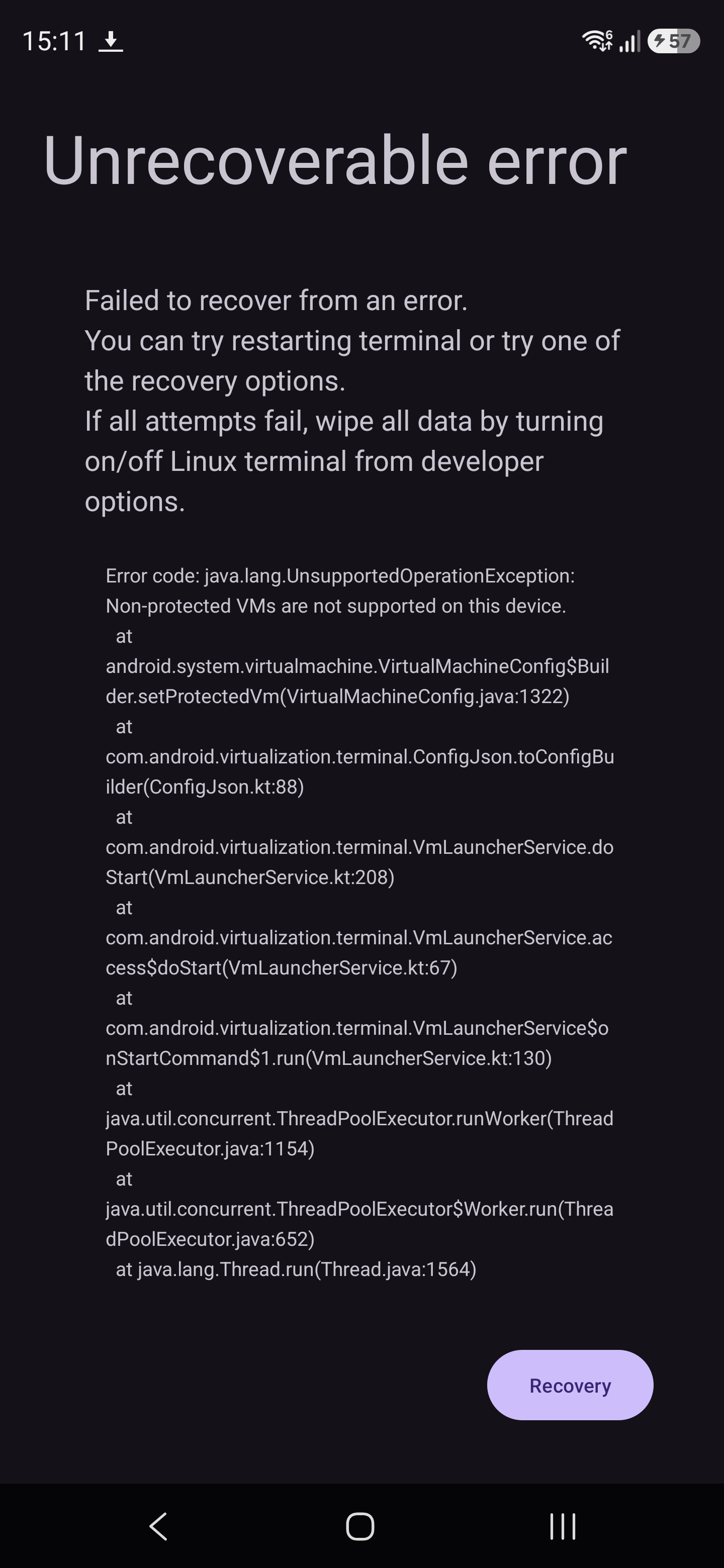
I guess we have to wait until Samsung/Qualcomm “fix” this. I’ve created a post, https://us.community.samsung.com/t5/Galaxy-S26/Samsung-S26-Ultra-How-to-enable-non-protected-VMS-for-Android/m-p/3542388#M10731, over at Samsung’s forum. Hopefully we’ll hear from them shortly.
Last updated on • Mohamed Bana